AI art tools now simulate light and reflection with near-photoreal accuracy. That means you can describe a glowing skyline and get a wallpaper that feels alive. This guide shows how to write prompts that turn your ideas of futuristic cities into vivid, downloadable scenes.
Understanding the futuristic city aesthetic
A good AI prompt starts with atmosphere. Futuristic cityscapes rely on contrast: bright neon lines against dark metal or rain-slick streets. Think about what emotion you want the wallpaper to evoke-lonely, bustling, or serene. Then choose details that support that mood.
- Lighting: Mention “neon reflections,” “soft volumetric fog,” or “holographic glow.” These cues help the model balance light sources.
- Architecture: Use terms like “mega towers,” “floating platforms,” or “glass domes.”
- Color palette: Blue and magenta dominate cyberpunk tones, but you can shift to amber or teal for a warmer sci-fi look.
If you prefer ready-made inspiration, explore AI Generated wallpapers to see how artists combine these traits.
Building effective AI prompts for city wallpapers
Prompt writing is about hierarchy. Start broad, then refine.
- Base concept: “Futuristic city skyline at night.”
- Lighting modifiers: “Neon reflections, cinematic lighting, wet streets.”
- Perspective: “Wide-angle view from rooftop” or “street-level with puddles.”
- Mood and tone: “Calm after rain,” “energetic nightlife,” or “mysterious fog.”
- Technical cues: “8K resolution, ultra-detailed, sharp focus.”
Combine them into one fluent sentence, keeping the most important visual first. Avoid stacking too many adjectives; clarity beats density.
Using composition and depth cues
AI models respond well to spatial hints. Add words that define distance and scale:
- “Foreground pedestrian silhouettes”
- “Midground market stalls”
- “Background skyscrapers fading into mist”
These layers create depth and prevent the flat look common in early AI renders. Reflection terms like “wet asphalt” or “glass facade” help the engine simulate light bounce naturally.
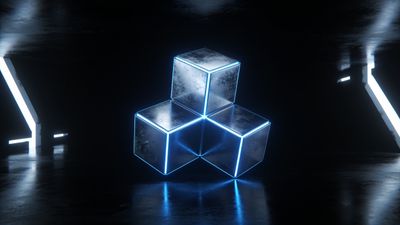
For reference, the Futuristic Neon Cubes In Dark Space Wallpaper shows how clean geometry and glow can coexist without clutter.
Prompt variations for different moods
Each lighting setup changes the story your wallpaper tells.
- Cyberpunk night: “Dense neon alleys, rain reflections, purple haze.”
- Utopian daylight: “Bright skyline, floating transit pods, clear glass architecture.”
- Retro-future vibe: “1980s neon signs, analog monitors, chrome vehicles.”
Experiment by swapping just one element-color, weather, or camera angle-to generate a new series. Save the best outputs and compare them side by side before uploading.
Fine-tuning reflections and realism
Modern AI engines interpret reflections more accurately when you specify material types. Try “wet concrete,” “polished steel,” or “mirror glass.” Avoid vague phrases like “shiny surface.” The more physical your language, the more believable the result.
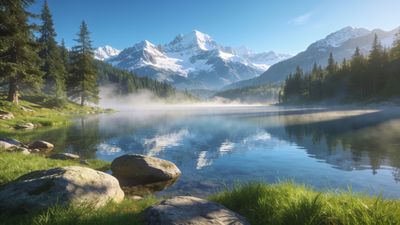
If you want to study how reflections behave, look at the Serene Landscape With Crystal Ball Reflection Wallpaper. The sphere’s mirrored surface demonstrates how light sources multiply in curved glass-use that logic in your city prompts.
Exporting and applying your AI city wallpaper
Once you’ve generated a favorite, upscale it to your display’s resolution. For 4K monitors or phones, set the output to at least 3840x2160. Save as PNG or high-quality WebP to preserve neon gradients without banding.
Before setting it as your background, preview it on both desktop and mobile to ensure key details aren’t cropped. Many creators tag their results under 4k sci-fi wallpaper for easy discovery.
Next steps
Collect a few variations-night, dawn, and dusk-and rotate them weekly. This keeps your setup fresh while staying in the same aesthetic universe. Follow artists in the AI Generated section who experiment with new lighting techniques; their tag histories often reveal how prompt wording evolves.
By refining your phrasing and studying real examples, you’ll turn short text ideas into immersive neon worlds that feel built for your screen.