Creating abstract glass and crystal wallpapers with AI is about balancing light, reflection, and form. The right prompt can turn a vague idea into a layered digital sculpture that looks both futuristic and elegant. By the end of this guide, you’ll know how to write prompts that consistently produce clear, refractive designs suitable for high-resolution wallpapers.
Understanding Glass and Crystal in AI Prompts
AI image models interpret “glass” and “crystal” differently depending on context. The word glass often yields smooth, transparent surfaces, while crystal introduces facets and internal reflections. Combining both terms with modifiers like macro, volumetric lighting, or ray-traced reflections helps the model simulate depth.
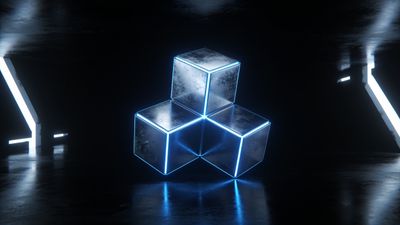
When you start a prompt, think about the physical qualities you want: transparency, color dispersion, or geometric precision. For example, adding prismatic shards or refraction through clear quartz can produce intricate highlights that feel tangible. If you’re aiming for a minimalist aesthetic, pair frosted glass sphere with soft studio lighting for a calm, modern look.
You can explore similar visual energy in the Abstract category, where many AI artists experiment with reflective materials and layered gradients.
Building the Core Prompt Structure
A reliable structure for AI prompts includes four parts: subject, style, lighting, and rendering keywords. Each part refines the model’s interpretation.
- Subject: Define the shape or composition, such as floating crystal cluster or shattered glass wave.
- Style: Add artistic direction, like digital art, 3D render, or cinematic macro shot.
- Lighting: Describe illumination - backlit, volumetric glow, caustic reflections.
- Rendering: Specify realism or abstraction using terms like octane render, hyperreal, or minimalist vector style.
An example prompt could read: “floating glass shards, refracting neon light, cinematic macro, octane render, high detail, 8k wallpaper.” This combination guides the AI toward a balanced, high-resolution composition that fits modern displays.
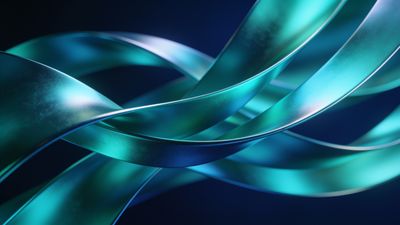
For inspiration, compare how color and light behave in the Elegant Blue and Green Abstract Waves Wallpaper - notice how the gradients mimic refracted light through curved glass.
Color and Lighting Techniques for Realistic Depth
Lighting defines how believable your crystal or glass surface appears. Diffuse light softens edges, while directional beams create sharp caustics and highlights. To achieve that signature crystalline glow, use HDR lighting, subsurface scattering, or global illumination in your prompt.
Color choice matters too. Cool tones like cyan, violet, and silver evoke ice or quartz, while warmer hues like amber and rose gold feel more organic. You can even mix both for a gradient transition that adds emotional contrast.
When refining color, mention transparent background or black backdrop if you want the crystal to stand alone. This makes it easier to crop for mobile or desktop wallpapers without losing detail.
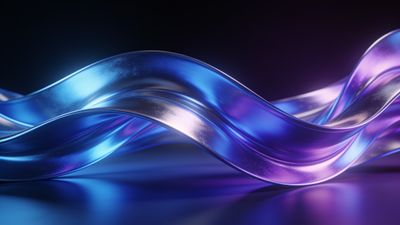
If you prefer a serene palette, take cues from the Serene Blue Waves Abstract Art Wallpaper, which demonstrates how subtle hue shifts can maintain depth without overwhelming brightness.
Rendering and Post-Processing Workflow
Once you generate a promising image, upscale it to your target resolution - ideally 3840x2160 or higher for 4K displays. Many AI tools now include built-in upscalers that preserve edge clarity. If artifacts appear, light noise reduction or sharpening in a photo editor can help.
For wallpapers, avoid over-saturation. Glass and crystal surfaces already reflect light strongly; pushing contrast too far can create harsh bands. Instead, adjust gamma slightly to maintain smooth gradients.
When exporting, choose PNG or high-quality WebP to preserve transparency and avoid compression halos. JPEG can work for complex color blends but may flatten subtle reflections.
If you’re curating a collection, tag your uploads under AI Generated to help others find your work alongside similar experimental pieces.
Creative Variations and Experimentation
To keep results fresh, experiment with hybrid concepts:
- Organic fusion: Combine crystal growth over leaves or glass coral reef for natural-meets-digital energy.
- Architectural forms: Try glass cathedral interior or crystal skyscraper silhouette for structured symmetry.
- Motion blur: Add long exposure or light trail refraction to simulate movement.
Each variation changes how the AI interprets transparency and reflection. Small tweaks in phrasing often yield dramatic differences.
A vivid example of color dispersion and layered translucency can be seen in the Vibrant Rainbow Crystals in Soft Focus Wallpaper. Study how its gradient transitions mimic real optical dispersion - a useful reference when tuning your own prompts.
Next Steps
Save your best outputs in a dedicated folder and note which prompt structures performed well. Over time, you’ll build a personal library of reliable phrasing for glass and crystal aesthetics. Revisit the Elegant category to compare your results with other creators’ approaches to reflective materials.
By refining prompts and observing how light behaves across surfaces, you’ll gain control over one of the most visually striking abstract styles in AI art. The process rewards patience and experimentation - each render teaches something new about how digital light bends through imagined glass.