Creating cosmic wallpapers with AI tools is one of the most rewarding prompt experiments you can run. The mix of color gradients, glowing dust, and infinite depth gives AI models room to show their rendering strengths. The key is balancing realism with imagination so your final wallpaper feels like a window into space rather than a noisy texture.
Understanding Cosmic Composition
Every great space wallpaper starts with scale. Decide whether you want a close-up nebula or a wide galactic panorama. A prompt like “ultra-detailed nebula cloud with glowing purple gas and star clusters” produces a very different result from “spiral galaxy viewed from afar with faint dust lanes.”
AI models interpret cosmic terms literally, so adding words like “Hubble-style” or “long exposure astrophotography” helps the model mimic the lighting and color transitions seen in real telescope imagery. For stylized looks, mix in “digital art” or “concept art” to encourage painterly gradients rather than photorealism.
If you want inspiration for framing and color balance, check the Cosmic category. You’ll notice that most successful pieces leave a dark void around the edges to keep icons readable on phones and desktops.
Crafting Effective AI Prompts
A strong prompt for cosmic art usually includes four parts:
- Subject: nebula, galaxy, planet, or starfield.
- Lighting: glowing, radiant, volumetric, or backlit.
- Color palette: specify two or three tones like teal and magenta or gold and indigo.
- Style or medium: digital painting, cinematic render, or hyperreal photo.
Example: “Cinematic render of a teal and magenta nebula with radiant starlight, ultra-detailed, digital art style.”
Avoid vague terms like beautiful or stunning-they waste tokens without guiding composition. Instead, describe the physical qualities you want: “dust clouds,” “ionized gas,” “lens flare,” or “deep field.”
For AI tools that support negative prompts, include “no text, no watermark, no frame” to keep the output clean for wallpaper use.
Balancing Detail and Usability
Cosmic scenes easily become cluttered. Too many stars or overlapping colors can make icons hard to see. Aim for one dominant focal point and let the rest fade into darkness. When you upscale or crop, keep the brightest region slightly off-center so the home-screen clock doesn’t obscure it.
On ultrawide monitors, you can stretch a galaxy band horizontally; on phones, vertical nebula plumes work better. The AI Generated category shows how creators adapt the same theme across aspect ratios without losing depth.
If you’re generating for AMOLED displays, remember that pure black (#000000) pixels save power and boost contrast. Many AI models add faint gray noise, so post-process with a soft brush or levels adjustment to push the darkest tones down.
Example Workflow
- Prompt creation: Draft a 40-60 word description combining subject, lighting, and style.
- Model selection: Use a diffusion model tuned for art detail (e.g., Stable Diffusion XL or Midjourney v6).
- Render and upscale: Generate at 1024x1024 or higher, then upscale to your target resolution (4K or 8K for desktops, 1440x3200 for phones).
- Crop and adjust: Center the main glow, reduce noise, and test readability of icons.
- Export: Save as PNG or high-quality WebP to preserve gradients.
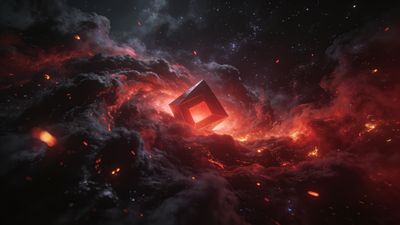
A finished piece like Mystical Fiery Cube in Cosmic Storm Wallpaper shows how controlled lighting and symmetry can make an AI render feel vast yet balanced.
Refining Colors and Atmosphere
Color grading defines mood. Cool tones-blue, violet, and cyan-suggest calm infinity. Warm tones-orange and gold-add drama and energy. Try blending complementary colors across the frame: a warm nebula core fading into a cool outer halo.
For extra realism, add subtle lens artifacts or faint dust specks. Avoid overusing glow filters; restraint keeps the scene believable. If your model supports control over camera settings, set “aperture f/2.8” or “long exposure” to simulate depth of field.
When you’re satisfied, test the wallpaper on both light and dark system themes. Cosmic art often looks different under adaptive brightness. Adjust gamma slightly if the blacks crush detail on OLED screens.
Sharing and Iterating
AI cosmic art evolves fast. Save your favorite prompt variations and note which phrasing yields the best structure. Tag your uploads accurately so others can find them under AI Generated or Cosmic.
If you want to study how others phrase their prompts, look at community examples similar to Futuristic Neon Starburst Glow Wallpaper. Analyzing prompt wording against visual results helps refine your own workflow.
By the end of a few sessions, you’ll have a personal library of galaxies and nebulae ready for any device. Each image becomes a small experiment in light, color, and imagination-proof that AI can paint the universe one prompt at a time.