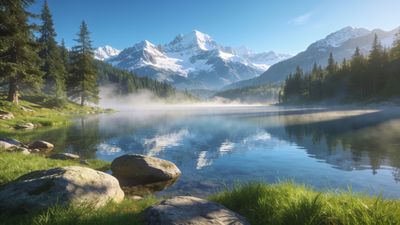
A perfect reflection across a lake can make an AI wallpaper feel almost photographic. The trick lies in how you describe light, distance, and surface texture in your prompt. With current diffusion models, you can control the realism of ripples and the symmetry of mirrored subjects with just a few extra words.
Understanding how AI interprets reflections
Diffusion models treat reflection as a combination of geometry and texture. When you prompt for a “mirror lake,” the AI looks for a horizontal plane that can duplicate the upper half of the scene. If you omit cues like “still water” or “glass surface,” it might produce wavy distortions instead of a clean mirror.
Use descriptive anchors:
- Lighting direction: “golden hour sunlight from left” helps the model align shadows and reflections.
- Surface quality: “crystal-clear lake” or “misty water surface” changes how sharp the reflection appears.
- Symmetry hint: adding “perfect symmetry” or “mirror composition” reinforces the idea of balance.
For inspiration, check out the Reflection category to see how artists frame horizon lines and manage contrast.
Building prompts for lakes and calm water scenes
Start with the subject, then describe the environment and reflection behavior. A basic structure looks like this:
{subject}, reflected in a still lake, cinematic lighting, ultra-detailed, 8k
Then refine it with adjectives that define mood and realism:
- Mood: tranquil, dreamy, ethereal, dawn, twilight.
- Environment: alpine lake, forest pond, futuristic city waterfront.
- Camera cues: wide-angle, aerial view, centered horizon.
Example prompt:
dreamy mountain peaks reflected in a glassy lake at sunrise, soft mist, realistic lighting, ultra-detailed
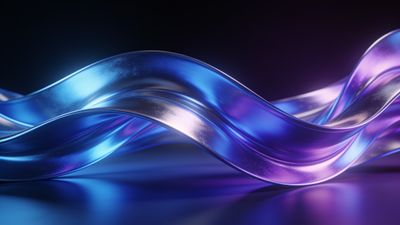
If you want to push toward fantasy, add atmospheric elements like “floating lights over water” or “bioluminescent ripples.” The AI will interpret these as glowing reflections, giving an otherworldly feel similar to the tones in Serene Blue Waves Abstract Art Wallpaper.
Enhancing realism with lighting and depth cues
Lighting consistency is what sells a reflection. When the sky color and water tone mismatch, the illusion breaks. Try these refinements:
- Match color temperature: If your sky is warm orange, use “warm reflection tones” instead of “cool water.”
- Add depth haze: “light fog over distant hills” helps separate layers and keeps the mirrored area believable.
- Control ripples: “still surface” for calm reflections, “gentle ripples” for realism, “distorted reflection” for artistic effect.
You can also experiment with contrast prompts like “high dynamic range” or “soft gradient lighting.” These guide diffusion models to balance exposure between sky and water.
The Nature category shows how subtle haze and color grading make reflections feel grounded rather than synthetic.
Post-generation touch-ups and composition checks
Even strong prompts sometimes yield imperfect symmetry. Use your editing tool’s flip-and-mask method to correct uneven reflections:
- Duplicate the upper half of the image.
- Flip vertically and lower opacity to 50%.
- Align with the horizon and erase overlap with a soft brush.
This manual step preserves the AI’s texture while ensuring a clean mirror line. For wallpapers, crop so the horizon sits around one-third from the top to avoid splitting the screen.
When exporting, keep resolution high-at least 3840x2160 for desktop or 1440x3200 for mobile-to preserve fine ripple detail. Save as PNG or high-quality WebP to avoid banding in smooth gradients.
Creative variations to explore
Once you master calm lakes, move into experimental reflections:
- Urban neon: skyscrapers mirrored on wet pavement or river water.
- Fantasy skies: upside-down clouds or auroras doubling across calm seas.
- Abstract symmetry: use fractal or kaleidoscopic prompts for surreal balance.
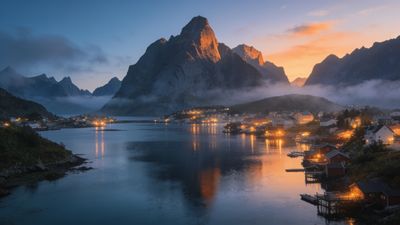
A piece like Serene Fjord Village at Dusk Wallpaper shows how sunset tones and subtle fog create depth without losing the mirrored calm.
Try different diffusion checkpoints or model versions-some handle water caustics better than others. Keep notes on which phrasing yields the most natural results.
Next steps
Save your favorite reflection prompts in a personal collection so you can reuse them for future themes. Tag your uploads under reflection or nature categories to help others find them easily.
If you’re experimenting with AI-generated lakescapes, explore the AI Generated section for more examples of balanced composition and realistic light play.
With practice, you’ll be able to create wallpapers that feel like real photographs-serene, symmetrical, and endlessly reflective.