Retro synthwave art thrives on nostalgia and neon. The look blends 1980s futurism with digital precision - glowing grids, chrome reflections, and magenta sunsets. With the right AI prompt, you can produce wallpapers that pulse with that same energy.
Core elements of the synthwave look
Synthwave visuals rely on a few repeating cues. Understanding them helps your AI model stay on style rather than drifting into generic sci‑fi.
- Color palette: Electric magenta, cyan, violet, and deep indigo dominate. Use complementary contrasts to make neon lines pop.
- Lighting: Rim lighting and reflective surfaces define the retro feel. Ask for “neon backlight” or “chrome reflections.”
- Composition: Horizon lines, wireframe grids, and silhouetted mountains are common anchors.
- Texture: Slight film grain or VHS noise sells the analog mood.
A good starting prompt might read: “retro synthwave cityscape, glowing neon grid, magenta sunset, chrome skyline, cinematic lighting.” Adjust adjectives to control intensity - “minimal,” “dense,” or “foggy” each shift the tone.
Building effective AI prompts
When writing prompts for image models, think in layers: subject, style, lighting, and camera mood. Each layer adds structure.
- Subject: Decide whether you want a landscape, vehicle, or abstract pattern. For example, a DeLorean silhouette or a lone palm tree instantly signals the era.
- Style: Specify “synthwave,” “retrowave,” or “outrun aesthetic.” These terms cue the AI toward neon geometry and 1980s color grading.
- Lighting: Phrases like “glowing neon tubes,” “purple ambient light,” or “backlit horizon” define contrast.
- Camera mood: “Wide cinematic shot” or “low‑angle perspective” changes how the grid and skyline appear.
If your AI tool allows negative prompts, block unwanted traits such as “realistic skin tones” or “modern architecture.” That keeps the result stylized.
Color and composition control
Color harmony separates striking synthwave wallpapers from chaotic ones. Keep the palette limited to three or four hues. Too many colors dilute the glow effect.
- Pair magenta with cyan for classic contrast.
- Use gradients that fade into deep navy or black for depth.
- Keep the brightest tones near the horizon line or key subject.
When composing, imagine the wallpaper on a phone or ultrawide monitor. Leave space for icons or widgets. Center the main light source slightly below the middle third to maintain balance.
For inspiration, browse the Neon category and note how artists manage saturation without losing clarity. Many of those images show how restrained color use keeps the glow believable.
Prompt examples for different moods
Each mood changes the emotional temperature of your wallpaper. Try these variations:
- Dreamy cityscape: “synthwave skyline, neon haze, soft magenta fog, reflective streets, cinematic glow.”
- Action vibe: “outrun highway, glowing grid road, speeding car silhouette, purple lightning sky.”
- Minimal geometry: “neon triangle portal, dark background, subtle fog, centered composition.”
You can refine by adding camera tags like “35mm lens” or “ultrawide view.” If the AI supports aspect ratios, 16:9 or 21:9 works well for desktops, while 9:16 suits phones.
File format and export tips
Once you have the image, export it cleanly to preserve neon intensity.
- Resolution: 3840x2160 or higher for 4K monitors.
- Format: PNG or high‑quality WebP to avoid banding in gradients.
- Compression: Avoid heavy JPEG compression; it dulls neon edges.
- Color profile: sRGB ensures consistent glow across devices.
If your AI tool outputs slightly muted tones, boost contrast by 10-15% in post‑processing. Small tweaks can restore the crisp neon look.
Example of balanced neon composition
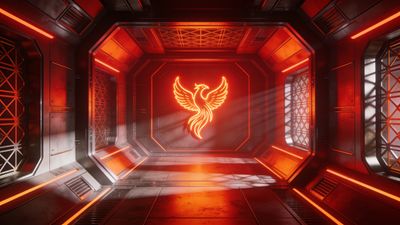
A strong synthwave wallpaper often blends geometry with atmosphere. The Futuristic Phoenix Neon Corridor Design Wallpaper demonstrates this balance: vibrant lines lead the eye inward while reflections keep depth believable. Study how the light gradient moves from magenta to blue - that transition defines the retro mood.
For more inspiration, explore the Futuristic collection, where glowing corridors and digital skylines show how artists push the style beyond nostalgia into modern abstraction.
Refining your workflow
After generating several images, compare them side by side. Notice which prompts produce clean edges versus noisy gradients. Keep a text file with your best prompt structures - subject, mood, lighting, and camera tags - so you can remix them later.
If you plan to share your creations, tag them under AI Generated. It helps others discover your work and keeps the community organized.
Next steps
Experiment with subtle animation or parallax layers if your device supports live wallpapers. Even a slow‑moving grid or pulsing light can make the scene feel alive. Rotate between a few favorites each week to keep your setup fresh.
Retro synthwave isn’t just a style; it’s a mood that turns your screen into a glowing time capsule. With careful prompts and mindful color control, your AI‑generated wallpapers can capture that timeless neon pulse.