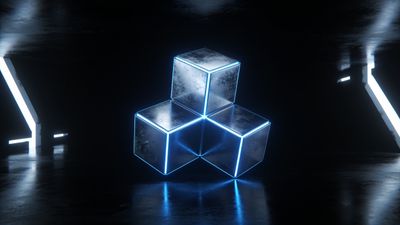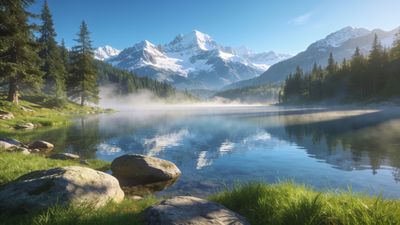

A wallpaper that looks black in the thumbnail can still glow charcoal on your lock screen. OLED panels only turn pixels fully off at true #000000, and most dark JPEGs never get there.
Why near-black fails on AMOLED
Phone makers love marketing pure black backgrounds because OLED subpixels switch off and draw less power. The catch is compression. A wallpaper exported as JPEG at 85% quality often lifts shadows into visible gray bands once you zoom past 100% on a 6.7-inch panel.
True black also matters for always-on display overlays. If your background is #0a0a0a instead of zero, clock widgets sit on a faint gray slab rather than disappearing into the glass.
What to look for in a wallpaper file
Start with format. PNG and lossless WebP preserve flat blacks; JPEG is fine only when the artist exported at high bitrate and kept large solid regions.
- Resolution: Match or exceed your panel (e.g. 1440x3200 for many 2024-2026 flagships).
- Color profile: sRGB is the safe default.
- Subject placement: Keep faces, logos, and horizons in the middle third.
Crop-safe zones on tall phones
Samsung One UI pushes the clock high; Pixel places it lower. Use an imaginary box at 80% width and 70% height, centered, and keep the hero subject inside it.
Ultrawide desktop files (21:9) rarely map cleanly to portrait phones. Filter for Portrait uploads when browsing.
Setting the wallpaper on Android 14 and later
Open Settings -> Wallpaper & style, pick your file, then assign home and lock separately only if you want different crops.
Pixel and stock Android
- Choose Wallpaper & style from Settings or long-press the home screen.
- Tap Change wallpaper, select the image, then Set wallpaper.
- Pick Home and Lock screens for matching true black at the gesture bar.
Samsung One UI 6+
- Long-press home -> Wallpapers -> Gallery.
- Disable Motion wallpaper if you want pixels static in black regions.
- Check the lock-screen preview before applying.
These steps target Android 14+. On Android 12-13, search settings for "wallpaper" if menus differ.
Next steps
Pick three tones and rotate weekly: void black, minimal geometry, and one accent on black. Favorite the keeper on Pixground so you can re-download after a device reset.
Follow uploaders who tag True Black honestly; community feedback usually surfaces fake blacks fast.