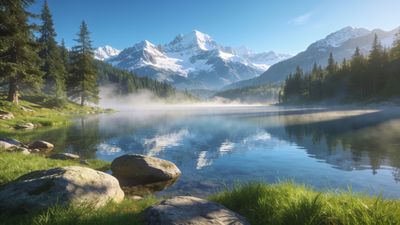
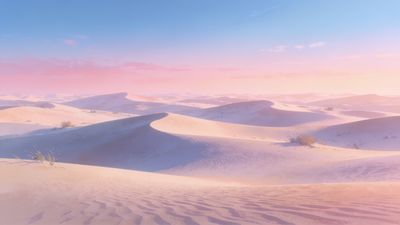
A true 4K nature wallpaper shows every leaf vein, ripple, and cloud edge without visible compression. On Ultra HD monitors and TVs, that clarity turns a static image into something immersive. The right file preserves detail at 3840x2160 or higher, while poor compression can flatten textures and color gradients.
What makes a wallpaper truly 4K
Resolution is the foundation. A 4K wallpaper should match or exceed 3840x2160 pixels. Many creators overshoot slightly-4000x2250 or 4096x2304-to cover edge crops on wide monitors. File format matters too: PNG or high‑bitrate JPEG keeps foliage crisp and skies band‑free.
Color depth is another giveaway. Nature scenes rely on smooth gradients, especially around sunsets and mist. Banding appears when an image is exported at low quality. If you notice steps in the sky, the file isn’t true Ultra HD.
To explore verified outdoor scenes, start with the Nature category, where most uploads list exact resolutions.
Types of nature scenes that shine in 4K
Different landscapes reveal detail differently. Forests test green balance, while oceans highlight gradient smoothness. Here’s how each type benefits from 4K clarity:
- Mountains and cliffs: Fine rock texture and snow detail show best at full resolution.
- Forests and fields: Dense foliage avoids blur when captured in 4K.
- Water and reflections: Ultra HD keeps wave patterns natural without moiré.
- Skies and clouds: High bit depth prevents visible steps between light and dark tones.
An example that demonstrates this balance is Serene Mountain Sunset in Vibrant Hues Wallpaper. The gradient from orange to violet stays smooth even on a 32‑inch display.
Choosing the right file for your display
Before downloading, check both resolution and aspect ratio. A 16:9 wallpaper fits most monitors and TVs, while ultrawide screens (21:9) need wider crops. Phones with tall ratios can still use 4K files, but cropping may hide edges.
- Check metadata: Right‑click the file and view properties to confirm pixel dimensions.
- Prefer lossless or high‑quality exports: PNG or WebP keeps color fidelity.
- Avoid upscaled images: If a file started as 1080p, scaling it up won’t add detail.
If you use multi‑monitor setups, pick panoramic images that extend naturally across displays. A desert scene like Serene Desert Dunes at Sunset Wallpaper keeps consistent tone across both screens without visible seams.
How to apply 4K wallpapers effectively
On Windows 11, right‑click the desktop, choose Personalize -> Background, and select Picture. Ensure Choose a fit is set to Fill to avoid stretching. macOS users can open System Settings -> Wallpaper, then drag the image directly into the preview.
For TVs or large displays, use native resolution playback through USB or casting. Avoid compression from streaming apps that downscale images.
If you prefer a rotating set, create a folder of your favorites and set it as a slideshow. Mixing forest, ocean, and desert scenes keeps the view fresh.
Recommended picks to start with
These wallpapers show how 4K detail transforms natural scenes:
- Serene Ocean View In Pastel Hues Wallpaper - soft gradients and subtle reflections ideal for calming setups.
- Vibrant Fantasy Butterfly in Flight Wallpaper - a close‑up that tests color accuracy and motion sharpness.
- Golden Lotus Blossom in Cosmic Glow Wallpaper - natural form meeting luminous contrast.
Each file holds its sharpness even when zoomed to 200%, proving the value of true 4K capture.
Next steps
After setting one, step back from your screen and notice how textures hold up under ambient light. If the image still looks crisp, you’ve chosen well. Save your favorites in a dedicated folder for easy rotation and re‑download if you reset your device.
To keep exploring, filter by the 4k nature wallpaper tag for new uploads. The community updates it frequently with fresh mountains, oceans, and forests captured in full Ultra HD detail.