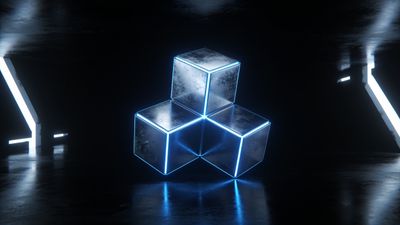
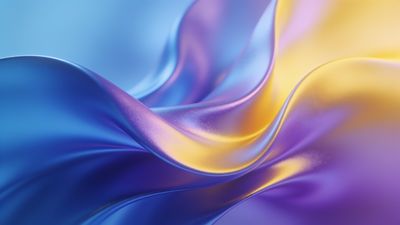
Neon colors look electric on OLED screens because every pixel lights itself. When the background is pure black, the glowing edges of cyan, magenta, and violet seem to float above the glass. That contrast is what makes neon wallpapers addictive on phones and monitors alike.
Why neon works so well on OLED
OLED panels can turn individual pixels off, leaving true black beside fully lit tones. Neon designs use this to their advantage. A bright magenta line on a black field appears brighter than it measures on a color meter because your eyes compare it to total darkness.
Compression can dull that glow. A JPEG saved at low quality adds gray haze around light edges, so always choose high‑bitrate exports or PNG files. Wallpapers in the Colorful and Vibrant sections usually keep that clarity intact.
Picking the right neon palette
Not every neon hue feels balanced on a small screen. Blue and pink dominate easily, while green and yellow can clip highlights. Try alternating tones that share brightness but differ in hue to avoid eye fatigue.
- Cyan and magenta: classic synthwave pairing that glows evenly.
- Electric purple: rich mid‑tone that avoids harshness.
- Hot orange on black: ideal for AMOLED phones in dark mode.
If you prefer a futuristic vibe, the Futuristic Neon Circuit Cityscape Wallpaper shows how layered light paths give depth without overexposure.
File type and resolution tips
OLED screens reveal artifacts faster than LCDs. Banding in gradients or halos around bright edges stand out against deep black. To minimize flaws:
- Use PNG or lossless WebP when possible.
- Match or exceed your device resolution (e.g., 1440x3200 for many flagships).
- Keep the subject centered within the top two‑thirds to survive system crops.
Desktop users with ultrawide monitors should check the Abstract category for 21:9 compositions. These stretch cleanly without distorting neon lines.
Applying neon wallpapers on phones and desktops
Android 14+
- Open Settings -> Wallpaper & style.
- Select your neon image and preview both home and lock screens.
- Disable motion effects to preserve crisp light edges.
iOS 17+
- Long‑press the lock screen, tap Customize, then Add New Wallpaper.
- Choose your neon file from Photos.
- Turn off Depth Effect if it dims bright outlines.
Windows 11 and macOS
Both systems scale 4K images well. Avoid dynamic wallpapers that fade brightness over time; static neon looks cleaner. The Digital Art category includes many balanced options for desktop displays.
Recommended neon picks
A few standouts show how different color strategies behave on OLED:
- Vibrant Waves Of Colorful Silk Wallpaper - flowing ribbons of light that stay sharp even on curved screens.
- Elegant Blue and Orange Abstract Waves Wallpaper - complementary tones that pulse softly without glare.
- Elegant Blue Waves Abstract Art Wallpaper - cooler palette for users who prefer subtle neon accents.
Each file keeps deep blacks untouched, letting OLED pixels rest where the design calls for darkness.
Keeping your collection fresh
Rotate neon themes weekly to avoid screen burn‑in and to keep the look exciting. Mix bright cityscapes with minimalist line art. Saving favorites ensures quick re‑download after device resets. When browsing, filter through the Neon category to see the latest uploads that truly pop on OLED panels.
Neon wallpapers celebrate the technology behind modern displays. With careful file choice and balanced color, your screen becomes a small gallery of light and shadow that never feels flat.