OLED screens can make a dark wallpaper look infinite when the pixels switch completely off. That deep black isn’t just stylish-it saves energy and makes colors pop. The trick is knowing which wallpapers actually reach full black and which ones only look dark in thumbnails.
Why OLED and AMOLED Need True Black
Each pixel in an OLED or AMOLED panel emits its own light. When a pixel displays pure #000000, it turns off entirely. That means no backlight bleed, no gray haze, and less battery drain on phones like the Galaxy S24 or Pixel 8 Pro. But most wallpapers aren’t exported with perfect black. Compression or color grading can lift shadows into visible gray, especially in JPEGs.
A wallpaper that looks pitch black on an LCD may glow faintly on OLED. If you want that deep void effect, look for files with large flat regions of pure black and minimal gradient noise. The Dark category is a good starting point for finding designs that take advantage of OLED’s contrast.
File Formats and Color Choices That Matter
The file format determines how faithfully the black tones survive. PNG and lossless WebP preserve flat blacks best. JPEG can introduce banding or subtle gray patches if saved below 95% quality. When you inspect a wallpaper, zoom into the dark areas-if you see blocky noise, it’s not true black.
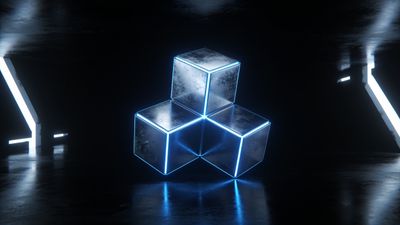
Color accents can make a dark wallpaper more dynamic without ruining power savings. Neon lines, soft glows, or minimal gradients stand out beautifully on OLED. Wallpapers like Mystical Neon Triangle Over Serene Lake Wallpaper show how a single bright element on a black field can create depth without lighting up the whole screen.
Composition Tips for OLED-Friendly Designs
Even with perfect blacks, composition affects how a wallpaper feels on a phone or monitor. Keep the main subject centered or slightly below the top third to avoid interference from status bars or widgets. Avoid busy textures near the edges; OLED panels can exaggerate contrast and make cluttered corners distracting.
- Resolution: Match or exceed your display’s native size (e.g., 1440x3200 for modern flagships).
- Aspect ratio: 20:9 for most phones, 16:9 or ultrawide for desktops.
- Color profile: sRGB is safest for consistent tone.
If you prefer subtle motion or gradients, explore the Elegant category-many designs there balance darkness with soft highlights that look refined on OLED.
Curated OLED Wallpaper Picks
Here are a few examples that highlight OLED strengths:
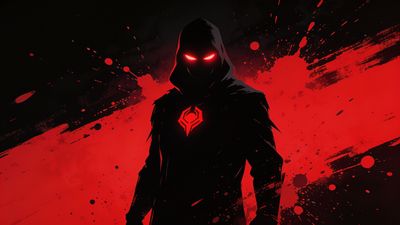
- [Dark Hooded Figure with Red Eyes Wallpaper](/wallpapers/p8ayjXRGZJ/dark-hooded-figure-with-red-eyes-wallpaper): A pure-black background with a single red focal point that glows vividly on AMOLED panels.
- [Epic Superhero Silhouette with Fiery Aura Wallpaper](/wallpapers/p8ayk18i31/epic-superhero-silhouette-with-fiery-aura-wallpaper): High-contrast composition where the figure’s aura lights up against a void backdrop.
- [Serene Floating Bubble on Gradient Background Wallpaper](/wallpapers/p8ayjTMaCv/serene-floating-bubble-on-gradient-background-wallpaper): Gentle gradients that stay dark while adding depth.
Each of these files demonstrates how minimal light areas can make OLED displays feel cinematic. They also avoid the gray haze that comes from near-black compression.
Setting and Testing on Your Device
When you apply a wallpaper, preview it on both the home and lock screens. Some Android launchers slightly brighten backgrounds to improve icon readability. If your true black looks gray, disable adaptive brightness or wallpaper dimming features.
On iOS 17+, dark wallpapers remain static even with motion effects enabled, preserving the full black effect. Android 14 users can toggle Dark theme and Wallpaper dimming separately to fine-tune brightness.
To confirm if a wallpaper is truly black, open it in a photo editor and sample the darkest pixel. A value of R0 G0 B0 means the pixel is off. Anything above 5 indicates a near-black tone that will still emit light.
Final Thoughts
OLED wallpapers reward precision. The right file can make your phone feel endless at night and save measurable battery life during the day. Rotate between deep blacks, minimal color accents, and soft gradients to keep your screen fresh without losing that OLED magic.
For more inspiration, browse through Dark and Elegant collections-each has designs that balance beauty with OLED efficiency.