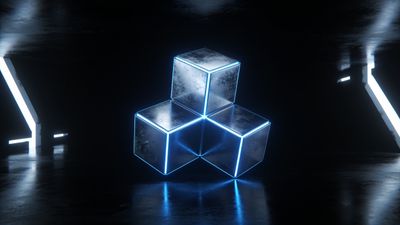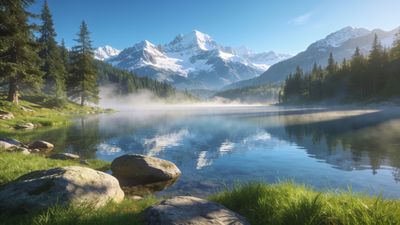

A single concept often sparks different rendering styles. Until recently that meant separate uploads-and split traction-because only one profile could own a file. The new creator collaboration beta fixes that by letting several accounts attach themselves to one wallpaper set, pool comments, and split attributions.
Why team up on wallpaper projects
Pooling skills does more than halve the workload. A texture artist, a color-grading pro, and a copywriter can finish a ten-piece pack in one evening instead of three lonely weekends. Shared credit also beats repost culture; viewers click any listed co-author and see the same set on each profile, so nobody loses exposure.
Other perks:
- Single comment thread keeps feedback in one place instead of scattered duplicate uploads.
- Unified stats make it clear which ideas resonate-no more guessing whose version performed better.
- Automatic split attribution shows every collaborator’s handle on the detail page and search cards.
If you browse the 3d render tag, you will already notice joint efforts where a hard-surface modeler and a lighting specialist fused styles that rarely meet in solo work.
Setting up a shared project (beta feature walkthrough)
- From your dashboard choose New set -> Collaborative. The beta toggle sits under the privacy selector.
- Name the set and upload at least one file to unlock the Invite collaborators field.
- Enter profile handles-auto-complete prevents typos. Invites land in their notification bell; acceptance is one click.
- Decide the listing order. The first name becomes the set owner for moderation purposes, but every author can push updates.
- Drag additional files, assign captions, and set a hero image. When your team focuses on particle energy themes, anchoring the set with a statement piece like Quantum Energy Vortex 4K HD Wallpaper gives visitors an immediate sense of scale.
The interface warns about duplicate filenames before publish, saving everyone from phantom 404s later. Maximum size in beta is ten wallpapers; larger collections require splitting or contacting support.
Roles, permissions, and etiquette
Each collaborator inherits full edit rights except deletion of the entire set, which stays with the original creator. That safeguard stops accidental nukes during time-zone handoffs.
Good practice keeps projects civil:
- Lock captions once they are final so wording does not ping-pong between dialects.
- Use version notes rather than overwriting files silently. Quick note: “v3-fixed banding at 50 % zoom” takes two seconds and prevents confusion.
- Keep prompt snippets transparent. If you trained a private LoRA, note it in the private description so partners can match style next time.
When genre alignment matters the category picker is your friend. A procedural fractal pack usually sits best inside AI Generated; a photoreal city shoot belongs elsewhere. Misplaced sets confuse the algorithm and bury everyone’s effort.
Publishing and promoting your co-authored set
The Publish button appears once every invited user has clicked Ready. That handshake ensures no one wakes up to an accidental midnight drop.
After launch, all co-authors’ followers receive the same feed card. Because likes and favorites funnel into one record, the algorithm treats the set as a single heavyweight post rather than diluting engagement across clones.
Promotion checklist:
- Pin the set to your profile header for a week so visitors see it first.
- Share a behind-the-scenes clip-timelapse or prompt evolution-on social channels and link back using the set slug.
- Rotate banner art every few days to showcase different pages; early viewers may revisit and bump statistics further.
Remember that comments reflect on every contributor. Respond as a team or decide one spokesperson to keep tone consistent.
Troubleshooting common collaboration snags
Missing invite email: Ask the lead creator to resend from the collaborator list. If notifications are off, the bell still lights up on desktop.
Conflicting edits: The platform keeps last-save wins. Use the activity log to roll back instead of manual diffing.
Color profile shifts between uploads: Agree on sRGB 8-bit PNG before the first export. Mixed profiles ruin grid harmony.
Crop disagreements: Upload both suggested crops as separate pages inside the set and let the audience vote. Data beats opinion.
Even tight teams encounter friction. A brief checklist in your project chat-file format, resolution target, caption tone-eliminates 90 % of it.
Next steps
Spin up a pilot pack this weekend. Limit it to three files so you can test permissions without pressure. Once the flow feels natural, scale to larger themes like cosmic or automotive. Collaboration turns personal style quirks into collective strengths, and the audience gets a richer, more consistent wallpaper experience.