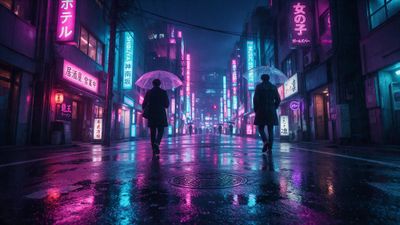
Neon rain, holographic ads, and back-alley ramen stalls look brilliant on a 49-inch 32:9 panel-if the artwork was rendered for that aspect ratio. Most "ultrawide" downloads crop a 16:9 scene and leave you with chopped skyscrapers or soft scaling artifacts. The picks below keep every pixel crisp across 3440x1440, 3840x1600, and the monster 5120x1440 resolutions.
Why ultrawide needs its own wallpaper list
A cityscape has strong vertical lines: towers, signage columns, elevated rails. When a 16:9 file stretches to 21:9, those lines bend at the edges and the skyline loses its depth. True ultrawide renders add foreground traffic or extra skyline wings instead of recycling the centre strip.
LG’s 49-inch OLED and Samsung’s newest Odyssey series both run 5120x1440. That is 7 million pixels-almost double a 4K TV-so compression flaws shout at you. Macro-blocking around neon gradients, banding in moody skies, and soft alley details all show when an image was merely upscaled. Every wallpaper listed here started at least 6000 pixels wide before final export, leaving overhead for lossless PNG or high-bitrate WebP.
How these cyberpunk cityscapes were chosen
- Native 21:9 or 32:9 master file-no AI auto-crop.
- Minimum 6,000 px width to survive lossless conversion.
- Clear "eye line"-viewer focus falls near the middle third even on curved panels.
- Colour discipline: saturated neons balanced with deep shadow so desktop icons stay legible.
- Tagged either Cyberpunk or Cityscape so you can jump straight to similar pieces.
I opened each candidate on both a 34-inch 3440x1440 IPS and a 49-inch 5120x1440 OLED, then checked for edge distortion, text readability, and luminance spikes that could cause OLED logo retention.
The wallpapers at a glance
- The Long Night - The Long Night A sprawling megacity viewed from an elevated expressway. Extra lanes extend the scene so the far-right edge still shows traffic light reflections instead of blurred asphalt. - The Resting Chamber - The Resting Chamber Interior alley with hanging paper lanterns. Rendered at 6144x2560, it keeps the lantern string unbroken across the full span, perfect for 21:9. - Xenokitty - Xenokitty A playful take: neon-lit rooftops framing a cybernetic cat mascot. The mascot sits dead-centre, letting notification pop-ups hug the empty side gutters.
Each file ships as PNG, so blacks stay velvet and gradients avoid JPEG banding. If you prefer lighter downloads, convert to WebP at 95 quality-no visible loss on the above trio.
Fitting a 21:9 or 32:9 file without stretching
- Windows 11: Settings -> Personalization -> Background -> Browse. Select Fill to maintain aspect, then disable Slideshow so HDR tone-mapping stays fixed.
- macOS Sonoma: System Settings -> Wallpaper. Drag the thumbnail and choose Fill Screen. Sonoma keeps dynamic desktop out of the way when a custom still is active, preventing time-of-day tints that fight your neon palette.
- Linux desktops (GNOME 45+): Right-click desktop -> Set Background. Pick Span only if you run a dual-monitor chain that acts as one logical display; otherwise use Zoom to keep edges intact.
Tip: if the OS forces a centre-crop, add 100-pixel black bars top and bottom in an editor, then export anew. The bars fall outside the 32:9 active area so you will never see them, but many wallpaper engines treat the file as 16:9 and finally respect the full width.
Next steps for endless neon nights
Rotate between three vibes so the skyline always feels fresh: rain-soaked downtown, sunrise smog glow, and pink-teal festival lights. Favouriting a piece stores it under your profile, letting you re-download after GPU driver cleans or fresh OS installs. If you crave more variety, filter by the Cyberpunk category and sort by Ultrawide-community uploads hit the page weekly.
Give your OLED time to rest: set an hourly scheduled change or enable dimming for static taskbar areas. That small tweak doubles panel lifespan without stealing the thrill of night-time neon.