OLED screens reward darkness. In a dim room, a dragon's wing outlined against pure black looks alive because each pixel behind it is off, not gray. Fantasy wallpapers often rely on this contrast - glowing runes, moonlit armor, or a castle suspended in shadow - to feel immersive on OLED phones and monitors.
Why Fantasy Art Works So Well on OLED
Fantasy scenes thrive on contrast between light and void. OLED displays can switch pixels completely off for the void, making magic effects and starlit skies stand out. When artists design with deep shadows, the result is cinematic. A wallpaper with glowing eyes or enchanted fire seems to float above the screen.
Compression can spoil the illusion. JPEG artifacts lift blacks into murky gray, especially when exported at low quality. Look for PNG or high‑bitrate WebP files if you want the background to stay pitch black. Files from the Fantasy category are often optimized for this, showing crisp edges and no visible banding.
Choosing the Right Fantasy Wallpaper for OLED
Start with subject and tone. Dark fantasy pieces with limited light sources - torches, runes, or moonlight - give OLED panels room to show depth. Bright high‑fantasy scenes can still look great, but they lose the infinite‑black advantage.
- Resolution: Match your device. For most modern phones, 1440x3200 or higher keeps details sharp.
- Color balance: Avoid heavy mid‑tones; they flatten the scene on OLED.
- Composition: Keep the focal point centered to survive cropping on tall screens.
If you want something that glows without glare, check out the Digital Art section. Many AI‑generated fantasy pieces there use controlled lighting that looks spectacular on OLED.
Example Fantasy Wallpapers That Shine
A few existing pieces show how fantasy and OLED complement each other:
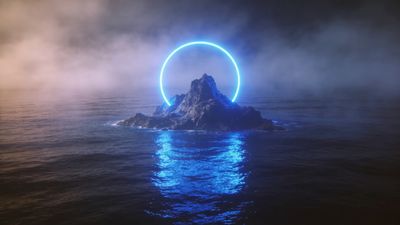
- Mystical Island with Neon Blue Halo - Mystical Island with Neon Blue Halo Wallpaper uses a bright aura over true black water, perfect for OLED contrast.
- Dark Warrior Emerge in Fiery Explosion - Dark Warrior Emerge in Fiery Explosion Wallpaper balances glowing embers against deep shadow, ideal for phones with AMOLED panels.
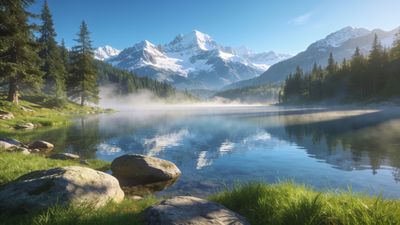
- Mystical Sunrise Over Frosty Lake - Mystical Sunrise Over Frosty Lake Wallpaper mixes soft light and darkness, showing how subtle gradients hold up when pixels turn off completely.
Each of these examples keeps the darkest areas near pure black (#000000). That ensures OLED pixels stay off and colors around them appear more saturated.
File Formats and Export Tips for Artists
If you create or modify fantasy wallpapers yourself, export matters. JPEG is fine only above 95% quality. Anything lower introduces block noise that ruins smooth gradients in night skies. PNG preserves flat blacks but increases file size. WebP offers a balance - smaller files, minimal loss.
Keep color space to sRGB. Wide‑gamut exports can shift hues on mobile devices, especially reds and purples common in fantasy fire effects. Always test on your own OLED display before uploading.
For creators using AI tools, render at 4K or higher and downscale manually. That prevents the model’s micro‑noise from turning into visible grain. Tag your uploads with 4k ai wallpaper so others can find them easily.
Setting and Testing on Your Device
Once you’ve downloaded a wallpaper, open your phone’s wallpaper settings and preview in both light and dark system modes. On Android 14+, disable motion effects to keep blacks static. On iOS 17+, choose “Still” instead of “Perspective” for the same reason.
If the image looks slightly gray in a dark room, it’s likely the file’s black point is above zero. Re‑edit with a curves adjustment and re‑export. OLED panels expose that difference instantly.
Final Thoughts
Fantasy art and OLED technology share a love for contrast. The more absolute the darkness, the more believable the magic. Whether you prefer a lone knight under starlight or a glowing portal in the void, the right file format and composition make it feel alive. Explore the Fantasy and Digital Art categories to find new favorites that let your screen disappear into the story.
For those who enjoy experimenting, combine one bright wallpaper like Mystical Island with Neon Blue Halo Wallpaper with a darker one such as Dark Warrior Emerge in Fiery Explosion Wallpaper and switch weekly. It keeps your OLED display fresh and your imagination lit.