
A crisp 4K render can turn muddy if the wrong export toggle is left on. This guide shows how to share wallpapers Pixground keeps pixel-perfect, from the moment you click “export” to the instant viewers hit the download button.
Start with a truly lossless master file
JPEG is fine for holiday photos, not for wallpaper art that will live on 30-inch monitors. Open your design app and set these three parameters before anything else:
- Bit-depth: 8-bit per channel is the web default. Stick to it unless the piece relies on ultra-smooth gradients, in which case 16-bit can help during editing but export down to 8-bit for final.
- Color space: sRGB. Wide-gamut P3 files look oversaturated in most browsers. Do the grading in P3 if you want, then convert.
- File format for the master: PNG or lossless WebP. Both preserve flat backgrounds and sharp edges without introducing color banding.
Keep that master archived. If a featured slot ever needs a different crop, you can export again without quality loss.
Match resolution to the audience you want
A wallpaper that looks perfect on a 2560x1440 laptop might appear soft on a 4K TV. Use the rule of two:
- 1080p phone target: export at 2160x3840 so the image is still tack-sharp after the OS applies parallax effects.
- 1440p desktop target: export at 5120x2880 to cover ultrawide requests without stretching.
When in doubt, overshoot. The platform’s uploader generates smaller derivatives automatically, so there is no penalty for giving it more pixels-only for giving it too few.
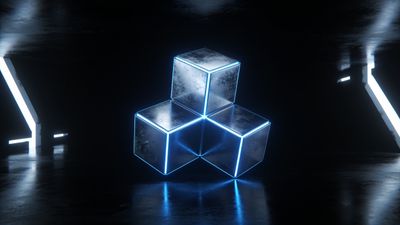
See how the intricate glass reflections hold up even on 5K monitors in the Iridescent Glass Spiral Abstract 4K HD Wallpaper example. That file started life at 7680x4320 before being downsampled to 4K with Lanczos resampling.
Dial in export compression once-and only once
The sweet spot for detailed graphic art is JPEG quality 90-92 with chroma subsampling disabled. Anything lower lifts noise and smears gradients.
If the piece contains broad areas of flat color-think minimalist vector art-go straight to PNG. Lossless WebP is marginally smaller than PNG but still widely supported.
Checklist before saving your shareable file:
- No watermarks inside the frame; add a small signature on a separate transparent layer if you must.
- Turn off "optimize palette" options that reduce unique colors.
- Embed the ICC profile when the software asks-this ensures mobile browsers respect your color decisions.
Keep your credit in the metadata
Most creators forget that EXIF isn’t only for shutter speed. A few strategic fields survive the upload pipeline and surface in advanced viewer panels:
- Copyright: Your name or studio. Example: © 2026 Aurora Graphix.
- Description: Short concept line, e.g. "Neon crescent above liquid waves."
- Software: Leaving this blank avoids revealing your workflow; fill it only if you want peers to know you used Blender or Midjourney.
Avoid packing promotional URLs; some browsers flag that as spam. A concise credit line is enough.
The actual upload flow, step by step
- Click Upload on the top bar.
- Drag your exported file into the drop zone. A green tick confirms the platform accepted the resolution unscaled.
- Enter a descriptive title-concise but searchable.
- Populate tags. Stick to 7-10 accurate ones; "4K", the main subject, and dominant palette are must-haves.
- Pick a category. Complex generative renders fit nicely in AI Generated. A hand-painted matte might belong under Abstract.
- Preview the thumbnail. If edge detail looks soft there, it will look soft in gallery grids-re-export before publishing.
- Hit Publish. The transcoder will create the smaller JPEG and WebP variants automatically.
Common upload pitfalls
- Trying to force-compress before upload. Let the platform handle adaptive compression; your master should remain pristine.
- Over-tagging. Irrelevant tags hurt discoverability more than they help.
- Inconsistent aspect ratio labels. If the piece is 21:9, mark it ultrawide so users searching that filter find it.
Verify the quality after the fact
Once the post is live, open the wallpaper on a high-resolution screen and zoom to 100 %. If you spot banding in fog gradients or ringing around bright edges, roll back and re-export. The system allows editing without losing likes or comments for the first hour-a grace window worth using.
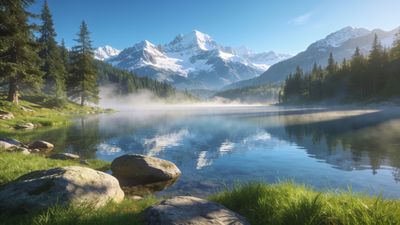
For inspiration on how colors survive compression, check the subtle mauves and cyan sheens in Dreamy Iridescent Liquid Waves 4K Background Wallpaper. Note how the highlight roll-off stays smooth even in the 1440p derivative.
Final checklist before you hit publish again
- [ ] Master file archived in lossless format
- [ ] Exported at least twice the target resolution
- [ ] Compression settings: JPEG 90+ or PNG/WebP lossless
- [ ] sRGB color space embedded
- [ ] Basic EXIF credit filled
- [ ] Accurate category and 7-10 relevant tags
Follow this routine and your uploads will stay razor-sharp across phone, tablet, and desktop grids without manual re-touching.