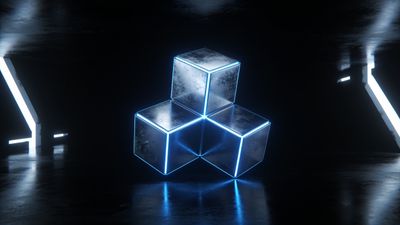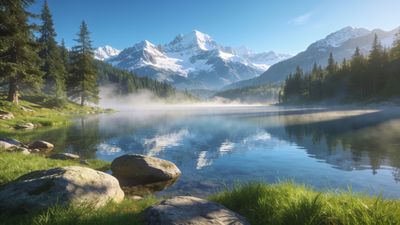

A razor-sharp wallpaper can still be bounced at upload if its dimensions miss the mark by a few pixels. That is frustrating, especially after you spent an hour polishing colors in Lightroom. The good news: once you know the target numbers and a few export switches, rejections disappear.
Hit the native resolution first
Every modern device family gravitates to a handful of panel sizes. When you export right at those dimensions, the platform displays a 1:1 pixel map, and the image review bot sees a perfect match.
- Desktop 16:9: 3840x2160 (“4K”) remains the safest bet for laptops and most external monitors.
- Ultrawide 21:9: 5120x2160 or 3440x1440 fit gaming monitors without stretching.
- Phone portrait 20:9: 1440x3200 covers Galaxy S24-class screens while scaling cleanly down to 1080x2400.
- iPad landscape 4:3: 2732x2048 lines up with the 13-inch iPad Pro.
Anything below 2560x1440 often looks soft on 27-inch panels. Overshoot is fine-resizing down costs nothing in quality-but undershoot forces an upsample that reviewers will flag.
Match the aspect ratio, not just the pixel count
Beginners sometimes upload a 3840x2000 render thinking “it’s wider than 4K so that must be good.” The bot notices the 1.92:1 shape and tags it as non-standard. Stick to these three golden ratios:
- 16:9 for the vast majority of desktops and TVs.
- 21:9 when the composition begs for cinematic width.
- 20:9 portrait if you designed the piece for phones first.
Anything else should be intentional. A square 1:1 abstract is fair game, but expect fewer downloads because most users can’t apply it without cropping. If your art demands an odd shape, provide a second export at one of the standard ratios alongside it to avoid rejection.
Export settings that keep edges crisp
Compression ruins more uploads than resolution errors. Follow this short checklist before you click Save:
- File format: PNG or lossless WebP when the artwork has large areas of flat color or vector shapes. Use JPEG only for photo-heavy pieces.
- JPEG quality slider: 90-100. Going lower often introduces banding that reviewers spot instantly.
- Color profile: sRGB. Wide-gamut P3 files can shift when viewed on older monitors and trigger a “looks washed out” report.
- Embed DPI metadata: Irrelevant for screen files; feel free to leave it at 72 dpi or omit entirely. The review script ignores it.
Tip: zoom to 200 percent after export. If you can see mosquito noise around contrast edges, re-export at a higher bitrate.
Keep subjects inside safe zones
A splashy render gets cropped differently on a phone than on a 32-inch monitor. Design with a virtual frame:
- Desktop 16:9: keep key elements inside the center 85 percent horizontally and 70 percent vertically.
- Phone 20:9: imagine a portrait crop grabbing the middle third of the widescreen canvas.
A quick way to confirm: load the file, set it as your wallpaper, then rotate the phone. If nothing critical disappears, you are in the clear. The Windows 11 Light Flow 4K HD Wallpaper illustrates this perfectly-its glow ring sits dead-center, safe on every device.
Name and tag the file intelligently
Reviewers use both the filename and your tags to classify the submission. A clear pattern saves back-and-forth messages.
- Filename:
concept-city-3840x2160.pngtells the system resolution without opening the file. - Primary tag: choose one stylistic bucket like
[Abstract](/categories/abstract)or[3d](/tags/3d). - Secondary tags: add color or mood after, e.g.
neon,night,vaporwave.
Skip buzzwords like “4K UHD HDR” in the title; the platform already displays the resolution badge.
One-minute pre-flight checklist
- Resolution exactly matches one of the recommended sizes.
- Aspect ratio is 16:9, 21:9, or 20:9 unless the art is purposefully square.
- File exports at lossless or JPEG 90+, sRGB profile embedded.
- Subject sits within safe zones for both portrait and landscape crops.
- Filename and tags are descriptive but not stuffed with keywords.
Run this list once, and your wallpaper should clear review on the first pass.
Next steps
Rotate through resolutions in your export preset: 3840x2160, 5120x2160, and 1440x3200. That way you can share the same artwork with minimal extra work and never worry about aspect ratio compliance again.