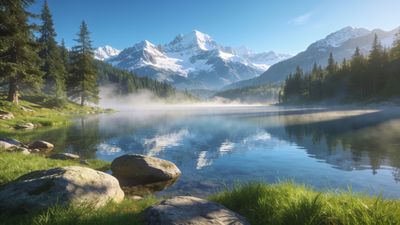

Tagging is the quiet engine behind every successful wallpaper upload. The right tags help your work appear in search results, trend pages, and user feeds. A few precise words can connect your design with thousands of people who love that style.
Understanding how tags work
Tags describe what viewers see or feel in your wallpaper. They are not captions or hashtags copied from social media. When you upload, each tag becomes a discovery path. For example, a glowing mountain scene might use nature, night, and digital art. That combination helps it appear in both the Nature and Digital Art sections.
Each tag should match visible content. If your image shows a futuristic skyline with neon reflections, cyberpunk or city fits better than abstract. The platform’s search engine weighs relevance more than quantity, so five accurate tags outperform twenty vague ones.
Choosing categories and tags together
Every upload starts with a category. Categories are broad rooms; tags are labels on the walls. Selecting the right category ensures your wallpaper joins similar works. A painted landscape belongs in Digital Art, while a rendered robot fits under AI Generated. Mixing them confuses discovery and lowers visibility.
Once the category is set, add tags that refine it. Think of the viewer’s intent: are they searching for color, subject, or mood? A user browsing Abstract might filter for 3d render or minimal. Someone exploring Nature could look for mountain, forest, or sunset.
Quick checklist for tag selection
- Describe what is clearly visible (object, color, style)
- Avoid repeating the category name as a tag
- Use lowercase words without punctuation
- Keep total tags between 5 and 10 for clarity
- Revisit old uploads after major tag updates
Writing tags that match viewer language
Creators often use technical terms, but viewers search by feeling. A render titled “Procedural Terrain 8K” might attract more clicks with tags like mountain, sunrise, and realistic. The goal is to bridge creator vocabulary and user search habits.
If your wallpaper was generated with AI, mention the style or tool only when it defines the look. AI landscape or AI portrait is useful; Stable Diffusion test is not. The AI Generated category already signals the method, so your tags should focus on theme and composition.
For example, the Starry Night Over Snowy Mountain Peaks Wallpaper benefits from tags like night sky, mountain, and stars. Each word connects it to users seeking calm outdoor scenes.
Improving reach through consistent updates
Tagging is not a one-time task. As trends shift, updating tags keeps your work visible. When a new tag like neon waves becomes popular, revisit older pieces that match the style. Consistency across uploads also helps followers recognize your portfolio.
Use analytics from your creator dashboard to see which tags drive views. If minimal outperforms simple, prefer it on similar uploads. The goal is not to chase every trend but to align with language your audience already uses.
Maintenance routine for active creators
- Review your top five performing wallpapers monthly.
- Compare their tags to new trending tags in your category.
- Adjust underperforming uploads with refined tag sets.
- Keep a personal list of proven tags for future use.
Upload workflow and final checks
Before pressing publish, confirm that your tags and category form a clear story. A wallpaper tagged forest, mist, and sunrise but placed under AI Generated should visually match that label-otherwise, move it to Nature. Consistency builds trust with viewers and improves engagement.
When uploading, fill the description field with a short context line rather than repeating tags. The system already indexes tags separately, so duplication adds no benefit. Preview how your wallpaper appears in its category grid to ensure colors and crop look correct.
If you need inspiration for balanced tagging, explore the Ethereal Blue Waves and Spheres Wallpaper in Abstract. Notice how its tags focus on color and motion rather than tool names.
Next steps for creators
Good tagging habits grow with practice. Start by reviewing ten of your existing uploads and rewriting their tags using the principles above. Track which ones gain new favorites or downloads over the next week.
Engage with other creators who tag consistently; comment on their posts to learn how they describe similar scenes. Collaboration often surfaces better language than working alone.
By mastering tagging, you make your gallery easier to discover and help the community surface quality work faster. Every precise tag strengthens the network between creators and fans who share the same visual taste.
Example: Vibrant Abstract Waves In Sunset Colors Wallpaper - Vibrant Abstract Waves In Sunset Colors Wallpaper shows how a few accurate tags can keep an artwork trending for weeks.